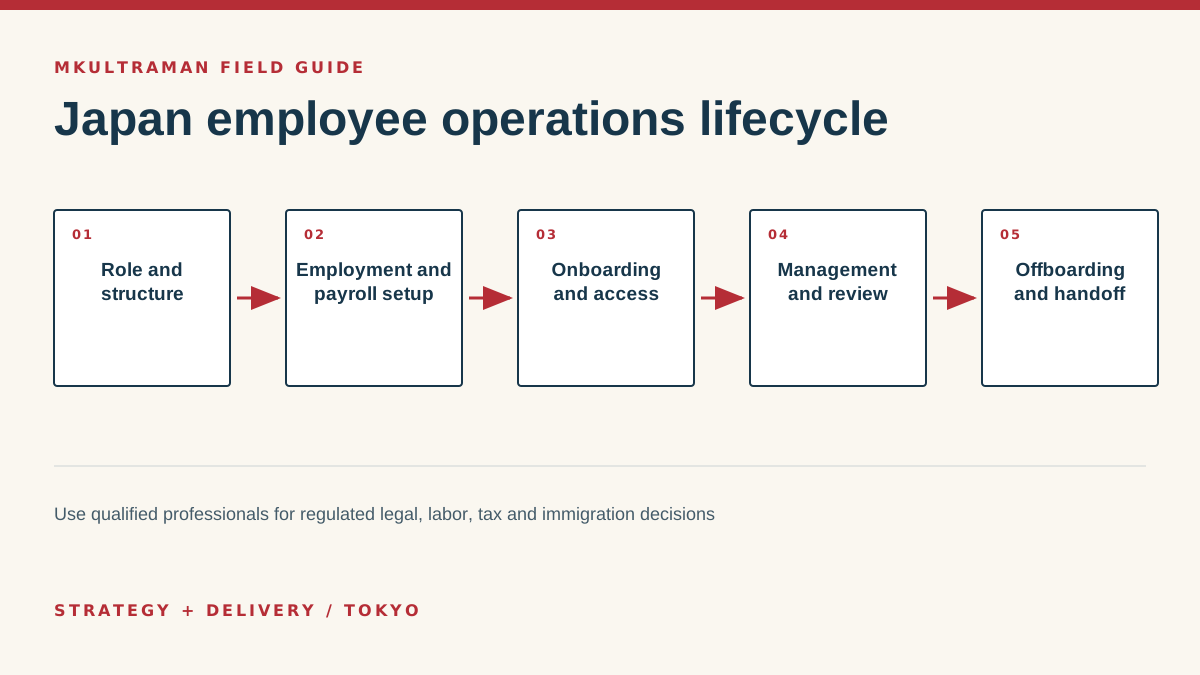
Prepare the operating structure before recruiting
Hiring an employee in Japan is not only a recruiting task. It creates connected obligations across employment terms, work rules, attendance, payroll, tax, social insurance, immigration where applicable, personal information, equipment, system access and management. The precise legal requirements depend on the employer and worker, so qualified Japanese labor, tax, legal and immigration professionals should address the regulated questions. Operations should make their approved requirements executable.
Define the role in observable terms. What outcomes is the person responsible for? Who manages them? Where will they work? Which hours, travel or customer interactions are expected? What information and systems will they need? A vague job description becomes a vague access profile and a difficult performance conversation later.
Confirm the employing structure before making promises. An overseas company may need a Japanese entity or branch, an employer-of-record arrangement or another appropriately advised structure. Each option changes contracts, payroll, benefits, authority, cost and dependency. Do not let a platform sales page substitute for advice on the company’s actual activities and establishment.
Create one joined readiness checklist
Assign owners for employment documents, payroll registration, attendance setup, benefits, equipment, accounts, training, workplace safety and the first-week plan. Put dependencies in order. Payroll cannot run correctly without approved worker data and cutoffs. IT should not create broad access because the manager has not defined the job. The employee should not spend day one waiting for a laptop and wondering where required notices are stored.
Set a realistic lead time and decision calendar. External professionals and government procedures may require information from directors, the worker and the corporate record. Immigration status can affect the work a foreign national may perform. Ask early. A rushed start date does not change an obligation, but it does make errors more likely.
Connect employment decisions to payroll and attendance
Once advisers have established the appropriate employment terms, translate them into consistent systems. The signed agreement, payroll profile, attendance rules, manager expectations and internal directory should not contradict one another. Record the approved start date, compensation components, work location, schedule, probation terms where applicable, leave and reimbursement process.
Choose payroll and attendance systems according to the approved process and the people who operate it. A product with extensive features can still fail if staff do not understand cutoffs, corrections and approvals. Define who submits, reviews and authorizes changes to pay, bank information, attendance and leave. Separate preparation from final approval where the company’s size and risk justify it.
| Operating area | Primary owner | Evidence or output |
|---|---|---|
| Employment terms | Employer with qualified adviser | Approved and signed documents |
| Payroll profile | Payroll or finance | Validated worker and pay data |
| Attendance | Employee and manager | Submitted and approved records |
| Social insurance | Qualified internal or external owner | Required filings and confirmations |
| System access | Manager and administrator | Role-based access checklist |
Protect employee information
Hiring and payroll collect sensitive personal information. Limit collection to a defined purpose and route it through approved systems rather than ordinary chat. Restrict access. Do not place identification documents, bank details or health-related records in a general team drive because it is convenient. Set retention and deletion based on professional advice and business need.
Tell employees how the company uses their information and which providers are involved as required. Review cross-border access when overseas headquarters or vendors can view Japan employee data. The Personal Information Protection Commission publishes the law and guidance, but its application to a specific setup may require counsel.
Build onboarding around work and belonging
Day-one access should follow a manager-approved role profile. Create an individual email and identity, enroll multifactor authentication, assign groups, prepare equipment and configure only the required applications. Shared logins hide actions and make offboarding unsafe. If a shared function address is needed, use delegation, a group or a purpose-built queue where possible.
Give the employee a clear schedule for the first day, week and month. Include the business context, role outcomes, key people, communication norms, security basics, payroll and attendance instructions, required training and early deliverables. For a bilingual or international team, explain which language and channel apply to different records rather than assuming everyone will infer the convention.
Use real tasks in training. Ask the employee to find a policy, submit attendance, request an expense, share a file appropriately, identify a suspicious message, join a customer handoff and locate help. Observe friction. If three new employees make the same error, improve the system or instruction instead of treating each as an individual failure.
Maintain records, access and manager accountability
Employee operations do not end after onboarding. Create a calendar for payroll cutoffs, attendance approval, reviews, contract milestones, leave administration, required checks and access reviews. Name a backup for critical tasks. A small company is especially exposed when one administrator is unavailable during a filing or payroll window.
Managers should report role changes promptly. Promotion, transfer, leave and project assignment can change both system access and data need. Use a simple change form that states effective date, approved access additions, removals, equipment and payroll effects. Review sensitive roles periodically rather than waiting for departure.
Keep systems and human conversations distinct
HR systems support records and workflow; they do not replace management. Performance concerns, accommodations and employee relations require appropriate human judgment and, when needed, professional advice. Record only what has a legitimate purpose, in the correct system, with suitable access. Avoid using informal chat as the permanent record for consequential employment decisions.
Maintain a directory of external advisers and providers with engagement scope, contact route and company owner. Payroll, labor advice, immigration and benefits can involve different specialists. Staff should know where to send a question without broadcasting personal details to every vendor.
Design offboarding before a departure occurs
A calm prewritten process protects the employee and company. It should cover professional advice, final payroll and documents, equipment, expense closure, data handoff, customer communication, system access, forwarding, records and benefits. The correct sequence and timing can depend on the departure circumstances, so do not let an automated IT checklist dictate a legal or human decision.
Create an access inventory from identity groups and critical-system records, not memory. Preserve business records under approved policies. Transfer organization-owned files and recurring responsibilities. Remove sessions, tokens, shared secrets and third-party integrations as appropriate. Change shared credentials that should not have existed, then replace them with named access.
Confirm completion with the relevant owners. The manager verifies handoff, IT verifies access and equipment, payroll verifies its process, and the responsible executive closes exceptions. Keep a concise record of what was completed and when. Do not retain personal data merely because deletion feels risky; follow approved retention rules.
Finally, conduct a short process review. What access was surprising? Which responsibility had no backup? Which documents were difficult to locate? Repair the system while the evidence is fresh. A mature hiring operation supports people from offer through departure and keeps the company capable when roles change.
Tips and practical checks
Small moves that prevent expensive cleanup
- Create the onboarding checklist while defining the role, not after an offer has been accepted.
- Give each employee an individual account. Shared credentials make accountability and offboarding unreliable.
- Schedule payroll, social-insurance and attendance-data cutoffs on one operating calendar.
- Ask a qualified labor and social security attorney or other appropriate specialist to review requirements that depend on the employer and worker.
- Record equipment custody, software access, data responsibilities and the manager who confirms each item.
- Test offboarding with a hypothetical departure before the first employee leaves under time pressure.
FAQ
Frequently asked questions
Can an overseas company hire someone in Japan directly?
The correct structure depends on the company’s presence, activities, tax position and employment facts. Options may include establishing an entity or branch, using an employer-of-record service, or another compliant arrangement. Obtain current legal, tax and labor advice before choosing.
What specialists may be involved?
Depending on the situation, teams may need a labor and social security attorney, tax accountant, attorney, immigration specialist, payroll provider or other qualified professional. Technology and operations work should support, not substitute for, their regulated advice.
What should IT prepare before day one?
Prepare a named identity, least-privilege access, managed equipment where appropriate, multifactor authentication, role-specific groups, an approved communication path and instructions for reporting a security issue. The manager should verify that access matches the job.
Why plan offboarding during hiring?
It forces the company to identify its accounts, records, equipment and responsibilities while the relationship is calm. That produces a faster, fairer and more secure transition later.
Sources and further reading
Official references
Product features, prices, and Japanese requirements can change. Check the primary source before making a consequential decision.
- Setting up business in Japan: human resources ↗ JETRO
- Employment policy and labor information ↗ Ministry of Health, Labour and Welfare, Japan
- International social security information ↗ Japan Pension Service
- Immigration procedures and information ↗ Immigration Services Agency of Japan
- Personal information protection laws ↗ Personal Information Protection Commission, Japan