Define the CRM’s first job
An early-stage company can lose surprising amounts of time asking simple questions: Who last spoke to this person? What did we promise? Which opportunities need action this week? Is this address allowed to receive marketing? A customer relationship management system should make those questions easier to answer. It should not begin as a miniature enterprise-transformation program.
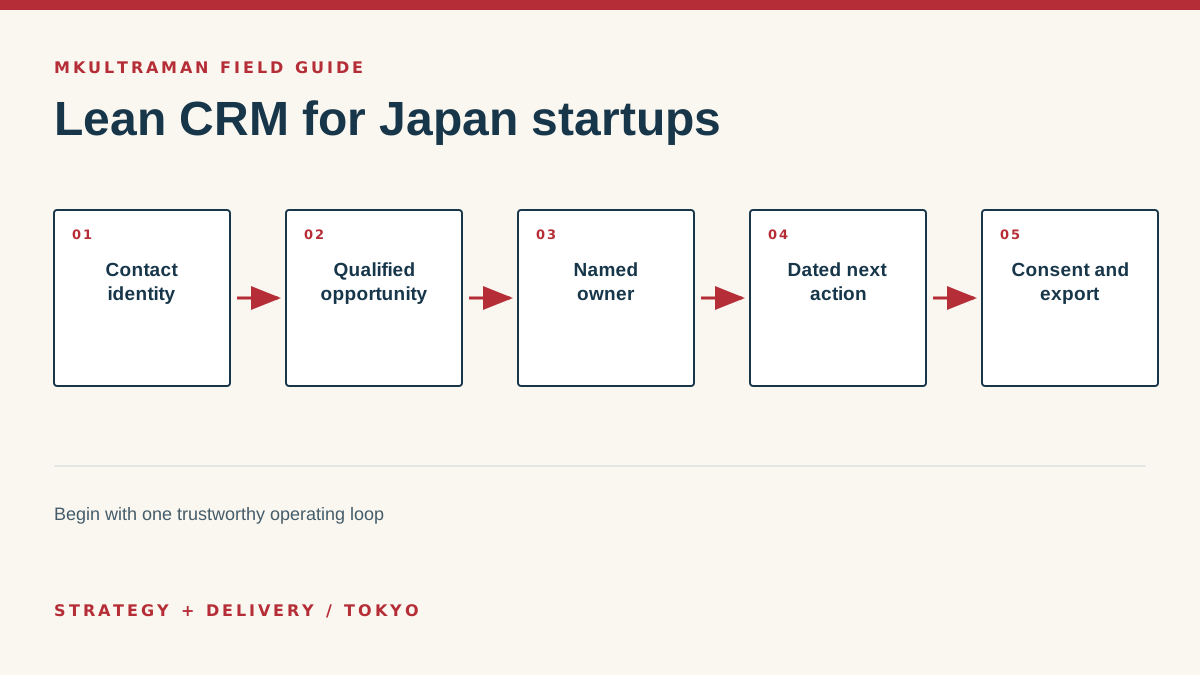
Write the first operating loop in plain language. A lead arrives, someone decides whether it is relevant, an owner takes responsibility, the owner records a next action, the opportunity advances or closes, and the company retains the appropriate relationship history. If the team also manages partnerships, fundraising or member relationships, decide whether those are variations of the same process or distinct pipelines.
A CRM is useful when it changes daily behavior. If founders still keep the real status in private messages and update the system only before a meeting, the database is reporting theatre. Design the first version around the moments when a person needs the record to do the next job. Management reporting should follow from that reliable work, not force the team to complete fields nobody otherwise uses.
Choose the minimum trustworthy data model
Start with people, organizations, opportunities, activities and tasks. Depending on the business, products, subscriptions, projects or support cases may belong later. Give every open opportunity an owner, a stage, an expected value or category, and a dated next action. Keep a stable record ID so exports and integrations do not depend on names or email addresses that can change.
Japan adds familiar but important data questions. A person may have legal, preferred, kanji, kana and Roman-character name forms. An organization may use an English trading style and a Japanese registered name. Postal addresses and telephone numbers can appear in local and international formats. Do not cram every representation into one field. Store forms separately only when the team has a real reason to collect and use them.
Separate identity, relationship and permission
A contact record says who the person is. A sales stage says where a commercial process stands. Communication consent says what the organization may send and through which channel. These values change independently. Someone can be a customer who has unsubscribed from a newsletter, or a prospect who requested a quotation but did not agree to general marketing. Treating “in the CRM” as permission to send anything creates risk and damages trust.
Collect less. Personal data creates obligations as well as possible value. Document why each category is needed, where it came from, who may use it and how correction or deletion requests are handled. Review Japan’s Act on the Protection of Personal Information and current guidance from the Personal Information Protection Commission. If the use or transfer is consequential, obtain qualified advice for the actual facts.
| Record | Minimum useful fields | Common mistake |
|---|---|---|
| Person | Name, organization, relevant contact method, source | Using one field for identity and marketing consent |
| Organization | Name, relationship type, owner, website or identifier | Creating duplicates for every spelling variation |
| Opportunity | Owner, stage, next action, value category, expected timing | Stages that describe optimism rather than observable events |
| Activity | Date, channel, participants, concise outcome | Copying whole private conversations without a purpose |
| Consent | Channel, status, source, date, evidence | Assuming a business card is permanent blanket permission |
Build a shortlist from constraints
Affordable is not the same as free. Estimate the 12-month cost for the expected number of users, email volume, pipelines, reports, integrations and support. Include import cleanup and administration. Some products offer a generous free entry but place a critical feature in a much higher tier. Others have a low per-user price but require more manual work or a separate marketing product.
For many startups, HubSpot, Zoho CRM, Pipedrive, Freshsales or a carefully structured Airtable-style database may enter the conversation. Salesforce can be appropriate when complexity, ecosystem or future scale justifies it, but it should not win by reputation alone. A table or Notion database can be enough for a controlled early process, though it generally requires more deliberate design for activity history, permissions and automation.
Create a shortlist of two or three, then test the same scenarios. Add a bilingual contact, qualify an inbound request, schedule a follow-up, change an owner, record an unsubscribe, create a forecast and export the records. Include one awkward case, such as a person connected to two organizations or an opportunity that pauses for three months. A product demonstration built by the vendor will naturally avoid the company’s difficult edges.
Check administration and exit
Ask who can manage users, integrations, exports, billing and security. Confirm multifactor authentication, role controls, audit history and recovery. Check whether data can be exported in readable tables with stable relationships and whether notes, files and activities come with it. A CRM can be inexpensive to enter and costly to leave when the useful history is trapped in proprietary reports or attachments.
Review integration direction. If web forms create contacts, what prevents duplicates? If email is logged, what private or irrelevant messages could enter the record? If accounting provides customer status, which system is authoritative when they disagree? Connect only what supports the operating loop. Every integration is another permission, failure path and maintenance obligation.
Implement in stages
Choose a process owner before configuration. That person decides definitions and resolves exceptions. Choose a technical administrator who controls access, settings and exports. One founder may hold both roles initially, but writing the two responsibilities prevents configuration preferences from silently becoming business policy.
Prepare data outside the CRM. Normalize obvious spelling and formatting differences, decide duplicate rules, remove records with no legitimate use, and map old columns to the new model. Import a representative sample first. Inspect names, dates, owners, notes and consent. Delete the test records and repeat until the mapping is reproducible, then migrate the full approved set.
Launch one pipeline and one team. Train with real work: enter a lead, hand it to someone, update the next action, close it, and find the history later. Provide a one-page field guide with definitions. Hold short office hours during the first two weeks. Fix friction quickly, especially duplicate entry and fields that require information users do not have.
Keep growth and migration possible
Review the first version after 30 and 90 days. Measure stale opportunities, missing owners, overdue next actions, duplicate records and fields nobody uses. Ask users which information they seek elsewhere. Refine the workflow before adding elaborate automation. A simple reminder on a reliable date is more valuable than a multi-branch sequence built on uncertain stages.
Keep a data dictionary and configuration log. Record field purpose, pipeline definitions, integrations, administrator roles and the reason for important changes. Export core records and activities quarterly. Open the files and confirm the relationships are understandable. Preserve form definitions and consent evidence separately when they are critical.
A startup should be able to outgrow its first CRM without reconstructing its commercial history from inboxes. Clean identifiers, explicit definitions and tested exports make that possible. The goal is not to predict every future feature. It is to build a small trustworthy system that supports today’s work while keeping tomorrow’s choices open.
Tips and practical checks
Small moves that prevent expensive cleanup
- Limit the first version to fields that trigger an action, support a decision or satisfy a real reporting obligation.
- Create one owner for every open opportunity and one dated next action. Blank ownership is a process defect, not a reporting detail.
- Separate a person’s identity, communication consent and sales status. They change for different reasons and should not be one field.
- Import a small representative sample before migrating the full spreadsheet. Fix mappings and duplicates while the rollback is easy.
- Review unused fields and automations after 30 days. Remove structures the team routes around.
- Export contacts, activities and attachments quarterly so the company knows what a usable exit looks like.
Watch
How to Set Up HubSpot CRM for Small Business
Video by HubSpot. Watch on YouTube ↗
FAQ
Frequently asked questions
Can a startup use a spreadsheet instead of a CRM?
Yes, when the team is very small and the sales process is simple. Move when shared ownership, activity history, follow-up reminders, consent records or reporting become unreliable. The signal is operational friction, not a fashionable headcount threshold.
Is a free CRM really free?
The entry tier may cost nothing, but implementation, cleanup, add-ons, user limits, email volume and migration still have costs. Price the expected 12-month configuration, not just today’s license.
Should Japanese and English names use separate fields?
If the business needs both forms, store them separately and define which version appears in customer communications. Avoid forcing phonetic forms, legal names and preferred names into one value.
When should a startup automate follow-up?
After the team can run the process manually and explain the exceptions. Automating an unsettled process creates faster inconsistency and makes errors harder to see.
Sources and further reading
Official references
Product features, prices, and Japanese requirements can change. Check the primary source before making a consequential decision.
- HubSpot CRM product information ↗ HubSpot
- Zoho CRM editions and features ↗ Zoho
- Salesforce small business CRM ↗ Salesforce
- Act on the Protection of Personal Information ↗ Personal Information Protection Commission, Japan
- Guidelines for cross-border personal data transfers ↗ Personal Information Protection Commission, Japan