Digital transformation, paper and legacy systems in Japan
Digital skills in Japan: training staff to replace legacy systems
Replacing a legacy system in Japan fails when staff get a new login but no new skills. How to plan training, authority and time around a migration.
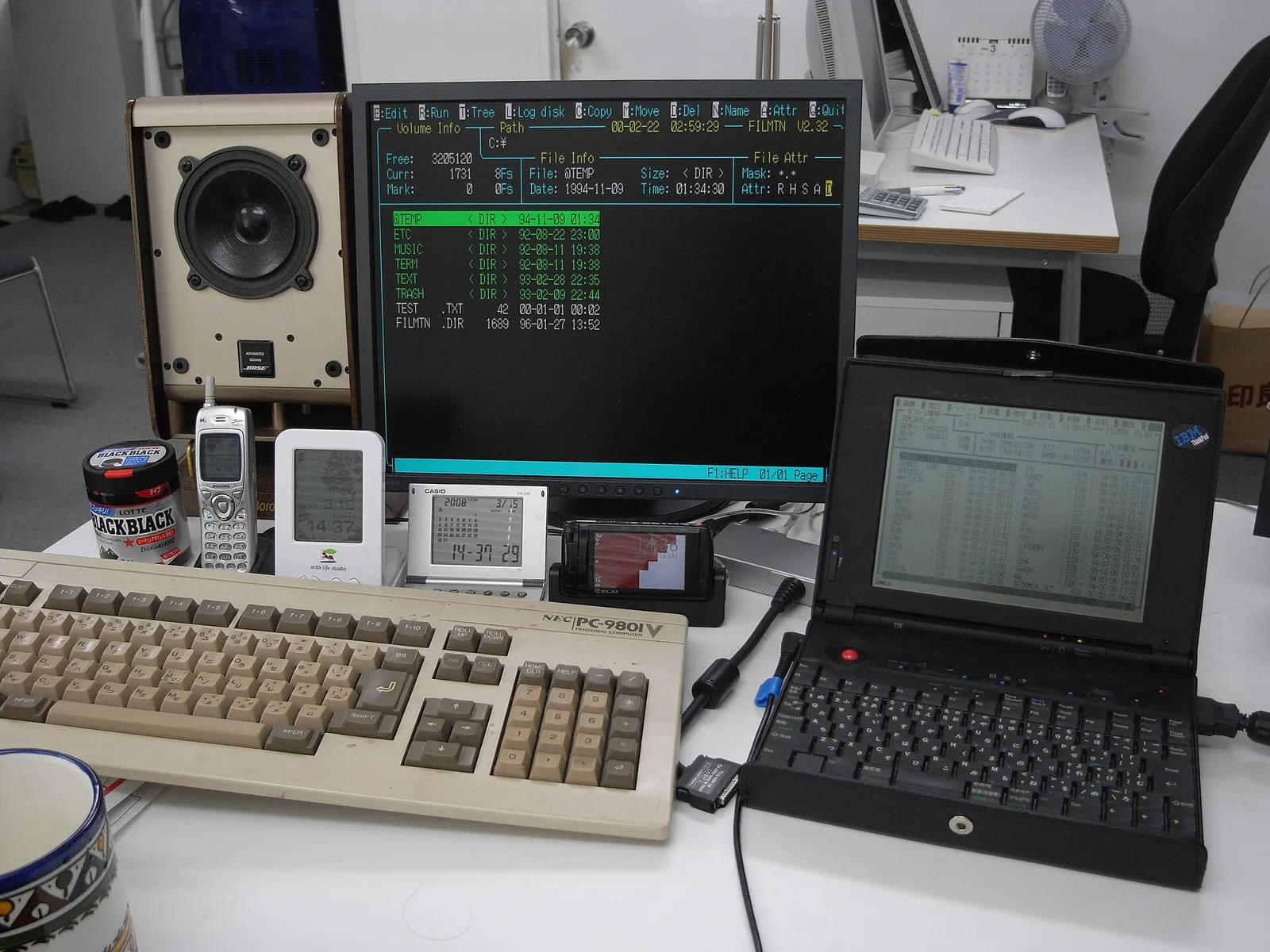

Replacing a legacy system takes more than giving people access to a new application. Staff need the skills to do their work in the new tool, the authority to change the steps that depended on the old one, and paid time to learn before the switch. In Japanese companies the old system is often tied to paper approvals, hanko, fax orders and spreadsheets that one person understands. Training has to cover those surrounding habits as well as the software, or the old process survives next to the new one.
Why is legacy system replacement so hard in Japan?
Japan’s ministry of economy (METI) warned in its 2018 DX Report about a “2025 digital cliff”: ageing, heavily customized core systems that few people still understand, becoming more expensive and risky to maintain. The date has passed and the problem has not. In small and mid-sized companies it looks less dramatic than a mainframe, but it follows the same pattern. I look at where the gap between announced change and working practice is starting to show in Japan in 2026.
Custom systems built by an SIer years ago. A system integrator built an order or inventory system around the company’s workflow in the 2000s or 2010s. The vendor still maintains it for a fee, nobody inside knows how it works, and every change is a quote. Moving away means someone has to document what it does first.
Excel and Access tools with one owner. A macro-heavy workbook or Access database runs invoicing, scheduling or stock. The person who built it is near retirement or already gone.
Paper and stamp workflows. Approvals still move as printed forms that collect hanko. Orders arrive by fax and are re-typed. Even when a new system exists, staff print from it so the stamp can happen.
Knowledge held by seniority. The people with the most process knowledge are often the least comfortable with new tools, and the least likely to be asked to help design the replacement. AI adds a newer version of the same risk: when it takes over the routine work juniors used to learn on, the on-the-job training disappears with it.
None of this is unique to Japan, but lifetime employment, consensus decision-making and long vendor relationships make it slower to unwind. It is also why the technology adoption problem often starts at procurement, before any training is planned.
What skills do staff need to move off a legacy system?
Software training is the smallest part. People need four kinds of capability.
Operating the new tool. The obvious one: how to enter an order in kintone, raise an invoice in freee or Money Forward, file a document in a Google shared drive or SharePoint.
Understanding the data. Staff need to know which fields matter, what a clean record looks like and where the authoritative copy lives. Legacy systems often tolerated messy data because a person corrected it by hand at the end. Cloud tools connected to other tools do not.
Handling exceptions. Every old process has unwritten rules: the customer who always pays late, the supplier who only accepts fax, the order type that skips a step. If training covers only the normal path, staff will fall back to the old system for every exception.
Changing the process. Someone has to be allowed to say “we no longer need this approval” or “this report can be retired”. Without that authority, the team rebuilds the old workflow inside the new tool, including the printing and stamping.
How do you plan training around a system migration?
Document the current process before choosing the tool
Walk through the old system with the people who use it. Write down each step, who does it, what triggers it and what it produces. Mark which steps exist only because of a limitation in the old tool. This document becomes both the requirements for the replacement and the outline for the training.
Involve the most experienced users early
Ask the senior staff who know the process to review the design and test the new system with real cases. They catch the exceptions, and they are far more likely to support a tool they helped shape. This is also the respectful way to handle a generational gap: their knowledge of the business is the asset, and the new tool is a way to keep it.
Train in short sessions on real work
Train one task at a time using real records, close to go-live. A day-long course three months before launch is mostly forgotten by the time it matters. Pair each session with a one-page guide in the language staff actually work in.
Run in parallel briefly, then retire the old path
A short parallel period, often two to four weeks, lets people compare results and build confidence. After that, set a date when the old system becomes read-only. Two live systems means twice the entry and no trusted record. For fax and paper specifically, I have written a step-by-step migration path off the fax.
Give each new system an owner
One person answers questions, keeps settings tidy and updates the documentation when the process changes. Without an owner, the new system slowly becomes the next legacy system.
How long does staff training take in a migration?
It depends on the process more than the software. A small office moving from email attachments and local folders to Google Workspace can usually be productive within a few weeks if the file structure and rules are decided first. The Google Workspace adoption guide covers that preparation. Replacing a custom order or inventory system takes longer, because the hard part is agreeing how the process should work.
Budget time for staff to learn during working hours. If people are expected to learn the new system on top of a full workload, they will keep using the old one because it is faster today. In Japan, some of that training cost may be eligible for a government subsidy, which I cover in reskilling staff in Japan.
When does a legacy system need replacing rather than training?
Sometimes the better answer is to keep the old system and fix what surrounds it. If it is stable, the vendor is responsive and the problem is really messy data or unclear ownership, cleaning those up can be cheaper than a migration.
Replacement makes sense when the system cannot connect to anything else, when maintenance depends on one person or one vendor with no documentation, when it blocks legal requirements such as the invoice system (インボイス制度) or electronic bookkeeping rules (電子帳簿保存法), or when staff are already running the real process in spreadsheets around it.
Either way, the work is the same in the end: understand the process, decide what should change, set up the tools properly and teach people to use them.
If you are deciding what to keep and what to replace, a Diagnostics review maps the current systems and dependencies. If you have decided to move, I can plan the migration and work with your team through setup, documentation and training.
Further reading: digital literacy training for Japanese businesses · the hidden cost of good enough systems · what belongs in a Japan SME technology stack